
What is new at NodePlay
New games, features and fixes: everything that changed at NodePlay.
-
Meet NodeHub 2.0: a global update
We rewrote the NodePlay control panel. The new NodeHub combines the game panel and billing: one account, one balance and one window, from buying a server to its console.
Everything that appeared in the old panel over the past year is still here. Almost everything has become faster and more convenient, and there is a lot of new stuff alongside it.
The highlights:
a new Minecraft server is ready in about half a minute;
changing a game takes one step: the previous server goes to “Saved games” in full, and you can restore it onto any of your servers;
new sections: MySQL databases with phpMyAdmin, multiple worlds on one server, and donations from players;
sign-in with passkeys: fingerprint, face or Windows Hello;
the familiar sections (console, files, backups, firewall, tasks, server users) have been redesigned and are faster and more convenient.
A new server in half a minute
Creating a server now takes three steps: the game, where to start from, and setup. On the second step you can take a clean world or one of your saved games.
Name and address. You can come up with a name yourself or roll the dice. The server address is built from the name, and you see right away whether it is available.
Location by ping. Your browser measures the ping to every location right now, and the panel picks the nearest one with free capacity. On the map, each point shows its ping and load.
Speed. We keep ready-made machines on standby, so a Minecraft server starts in about 20–30 seconds. Steam games need extra time to download the game itself.
Changing a game doesn’t mean losing it
The “Change game” button saves the current server in full: files, world, settings and databases. It goes to “Saved games”, and the new game starts in its place right away.
A saved game can be restored at any time onto any of your servers, in the same or a different location.
You can restore from any of its backups, not just the latest one.
Saving does not use up your server backup space.
You can also simply archive a server to free up space for another game later.
How many games you can store at once depends on your plans: the limits of all your servers add up.
If you don’t have a free server yet, you can create a new game straight in “Saved games” and launch it later.
Files and FTP
If a file changed while you were editing it (for example, the game rewrote ops.json on its own), the panel won’t silently overwrite it and will ask what to do.
“Save and restart” writes the file between the stop and the start, so the game can’t overwrite it on shutdown.
You can drag files and whole folders into the window, up to 1 GB per file. The upload goes straight to the server and doesn’t stop when you move to other pages.
Archiving and extracting run in the background on the server, with a percentage: even a large archive won’t time out, and you can close the page.
FTP is off until you turn it on yourself, which is safer. One button enables it.
Worlds
You can keep several worlds on one server and switch between them with one button. A new world is created with its own settings, a ready-made world is uploaded as an archive, and any world can be downloaded as a single zip. This works for Minecraft, Terraria and other games where the world is a folder or a file.
Players
The “Players online” block: who joined appears at the same moment as the counter. For a Steam player you see the avatar, SteamID and a profile link; for a Minecraft player, the face of their skin.
For games that don’t write players to the console, the panel queries the server directly, the way server lists do.
Analytics: how much was played per hour, day and month, and who plays the most.
Minecraft gets a “Players” page: admins with levels and bans with a reason. When you type a nickname, you see the player’s face so you don’t mix anyone up.
Load
A node’s CPU is shared fairly: your server can use all of its cores, and its share grows with the memory of your plan. The page shows which node and which city the server runs in.
Versions, mods and Windows games
Game library
You can now choose the game version yourself. Steam games have branches: recommended, test and archived. When a new build comes out on Steam, the panel tells you about it.
Update installs the new version over your files: the world, configs and mods stay.
Verify files compares every game file with Steam and downloads the broken and missing ones.
Clean install installs the game from scratch. Before it, the panel reminds you when the last backup was made.
If the version fails to download, the server files are not touched at all.
Minecraft: any core and any version
Vanilla, Paper, Purpur, Folia, Fabric, Forge, NeoForge, Quilt: any version and any build. The right Java version installs itself. When you switch the core, you can replace the files, move the old ones to an old_files folder, or install everything from scratch. The panel warns you if the new core won’t load your plugins or mods.
Minecraft mods and plugins
Modrinth and CurseForge catalogs right in the panel: search, categories and a “only for this server” filter.
Dependencies install themselves, and updates come with one button or all at once.
The panel even recognizes jar files you dropped in by hand and offers to update them.
A modpack is installed onto the same server, and old files go to old_files. Client-only mods that stop the server from starting are removed by the panel itself.
Steam Workshop
For games with Steam Workshop, there is a workshop catalog in the panel, or you can add a mod by link. The panel installs the dependencies the mod needs, adds it to the game config and updates it before launch. No more editing mod lists by hand.
Windows games
V Rising, Enshrouded, Abiotic Factor, Space Engineers and other games with a Windows-only server work like all the others: the same console, files, settings, backups and version library. Changing a game also works between Windows and Linux games.
Backups, tasks and protection
Backups
Automatic backups are made on all plans and stored in the cloud. On the Plus plan you can also make your own backups manually: they stay until you delete them.
A backup is a snapshot of the whole disk at a single moment. The game doesn’t stop, and players notice nothing.
The progress of creating and restoring is visible every second.
A backup can be downloaded as .tar.gz, and databases as a separate file.
Server databases are inside the backup and come back together with the files.
Each server has its own backup space, and you can buy more. All your account’s backups are collected on one “Backups” page.
Backups of a deleted server are kept for a few more days, so you have time to download them.
Automatic tasks
On the Plus plan, the server performs actions on a schedule. For example: every day at 05:00, warn the players in chat, wait a minute, make a backup and restart.
Schedule: days of the week and time, or “every N minutes or hours”, in your time zone.
Steps: a console command, a pause, restart, stop, start, backup.
The panel shows the upcoming runs and how the last one went: completed, skipped, or at which step it stopped and why.
You can run a task manually to test it.
Databases
For Minecraft plugins that need MySQL (LuckPerms, CoreProtect and others), a database is created with one button. The panel comes up with the name, user and password itself. Signing in to phpMyAdmin is also one click, with no password to enter.
Firewall
Block an IP or a whole subnet for an hour, a day, a week, a month, until a date or forever, with a reason for yourself.
A block takes effect immediately: a player from that address is disconnected the same second.
“Current connections” shows which addresses and countries are connected to the server right now. It works for any game.
An accidental unblock can be undone with one button.
Ports and address
Additional ports are added in the server settings, for example for a web map or voice chat. The server name and address are changed there too. If the server’s IP changes (for example, when you change plans), the panel shows what it was and what it became, and the server address moves to the new IP by itself.
A server for your whole team
Server users
Invite a friend by email and choose what they are allowed to do. There are ready-made sets (“Viewer”, “Moderator”, “Administrator”), or you can build your own from individual permissions.
Permissions are split into groups: power, console, files, game and management. Dangerous ones are marked separately.
Your friend sees only the sections they have permissions for. Payment, changing the game and deleting the server stay with the owner only.
If you change permissions or revoke access, it takes effect immediately, even if your friend has the server page open.
Activity log
The owner can see who did what on the server over the last 30 days. Starts and stops, console commands, file edits with the changed lines, mod installs, backups, settings: it’s all there.
The log also includes what was uploaded or deleted over FTP.
Every entry has a time, an IP and a browser. There is search and filters by person and type of action.
Passwords never get into the log: you only see that a password was changed.
A server page for friends
Every server has a public page you can share on Discord or social networks. It shows the game, the name, whether the server is running, how many players are online and the address to connect. The status and online count update live, with no reload. If the owner has turned on donations, there is also a “Support the server” button.
Account and security
The “My account” section collects everything that protects your servers and your money.
Passkeys. Passwordless sign-in with a fingerprint, face or Windows Hello. The key is stored in your password manager and counts as two factors on its own.
Sign-in with social accounts. You can link Google, Discord and Twitch to your account or sign up with them right away.
Two-factor authentication via an authenticator app, with recovery codes.
“Where you’re signed in”. A list of devices with the browser, country and IP. You can sign out of one or of all except the current one.
Security emails. You get one if someone signs in from a new device, changes the password or email, or links a new sign-in method.
Changing your email is only possible with a confirmation from the new address. Until then, the account keeps working with the old email.
Billing in the same panel
Billing is now part of the panel: your balance is shown in the header, and each server shows the date it is paid until.
Buying and topping up
An order in three choices: the Base or Plus plan, memory and term. 3 and 12 months come with a discount, and you can add a promo code or a partner code.
Card payment right on the page, with no redirects. For Russia: cards of Russian banks and SBP in rubles at the Central Bank rate.
After payment, the game selection for the new server opens right away.
Invoices can be printed or saved as PDF, and “Transactions” shows every movement of your balance.
Renewal
An invoice arrives 3 days before the term ends. The panel charges it to your balance, and if it isn’t enough, it charges the rest to your linked card.
If the charge fails, the server isn’t deleted and keeps running in a grace period. The panel tells you why and by what date it must be paid.
If you top up your balance during the grace period, the server is paid for that very second.
If the server is never paid for, the game doesn’t disappear: it is saved with its files to “Saved games”. We will remind you by email before deletion.
You can turn off renewal: the server will run until the end of the paid term. Or delete it right away, and the unused days return to your balance.
Changing plans and add-ons
The plan and memory are changed on the server’s billing page. A more expensive option applies immediately, with a payment only for the remaining days; a cheaper one applies from the next renewal.
Memory is added without restarting the server: the game gets it on the next start.
You can buy extra memory, disk space and backup space with a slider and a price for the remaining days.
The renewal term (1, 3 or 12 months) is changed there too.
Donations from players
Players can support your server on its page, with no registration, with a nickname or anonymously. The money goes to your balance and pays for servers. Donations are off until you turn them on yourself. The panel has a chart and a history, and you write the message for players.
Affiliate program
Invite friends with your link or code. Your friend gets a discount on the first server, and you get a percentage of their payments to your affiliate balance. Streamers and creators can apply and get a partner dashboard:
statistics of visits, sign-ups and payments for 7 days, 30 days and all time;
your own code instead of a nickname;
banners with your code, ready to download;
program news and promotions;
withdrawing your earnings or transferring them to the main balance.
-
NodeHub Update: Global Changes and New Features
We continue to develop our own control panelNodeHub. Today we present a list of key improvements that will make managing your servers even faster and more convenient.
Game settings
The interface of the "Game settings" section has been completely redesigned: categories, sorting
Support for required settings fields and their auto-fill has been added
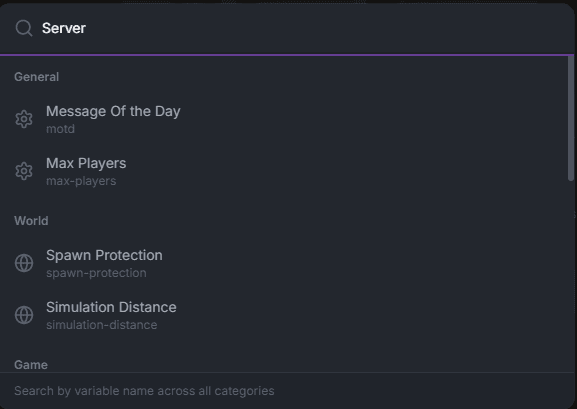
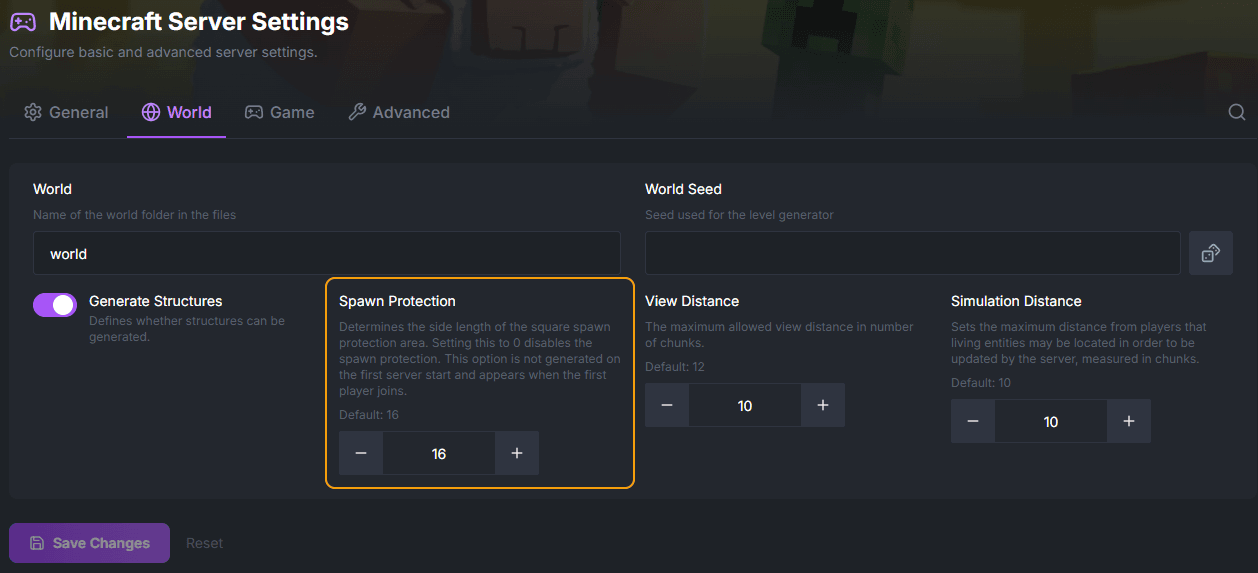
A new search for the needed variables in the “Game settings” section. Now, when clicking on the needed variable while navigating to it, the variable is highlighted with a new color
File manager
A folder tree has been added to the side panel
Quick configs — quick access to the game configuration files
Protected configuration variable detection — the panel warns about variables that are managed by the panel
Server console
Improved real-time streaming of console output
Duplicate timestamps have been removed from game output
Server installation and updates
Real-time SteamCMD installation progress — the download % is visible прямо in the panel
Mods and plugins
Vintage Story — mod browser and installation
Avorion - mod browser via Steam Workshop
Space Engineers — mod browser via mod.io
Steam Workshop — a universal mod browser for any game with Workshop
CurseForge — universal mod browser (Hytale, ARK, etc.)
Mod frameworks (Metamod:Source, SourceMod, AMX Mod X, etc.) — installation of server frameworks for mods
Support for simultaneous installation of multiple mod frameworks
Backups
Backup and restore via streaming — significantly faster
Progress bar when creating/restoring a backup
Automatic backups are no longer dependent on the user's storage limit
Consistent backups — data snapshots without stopping the server
Other
Confirmation when killing the server with a warning about data loss
"Create server" button прямо on the dashboard
Instance limit modal window
Support for .tar.zst archives in the file manager
In the server settings, there is now an option to add additional ports for the server
These updates are not the only ones, but they are the main ones for users.
-
New features in the game panel, bug fixes
This update is probably the biggest one we have ever made.
NodePlay App
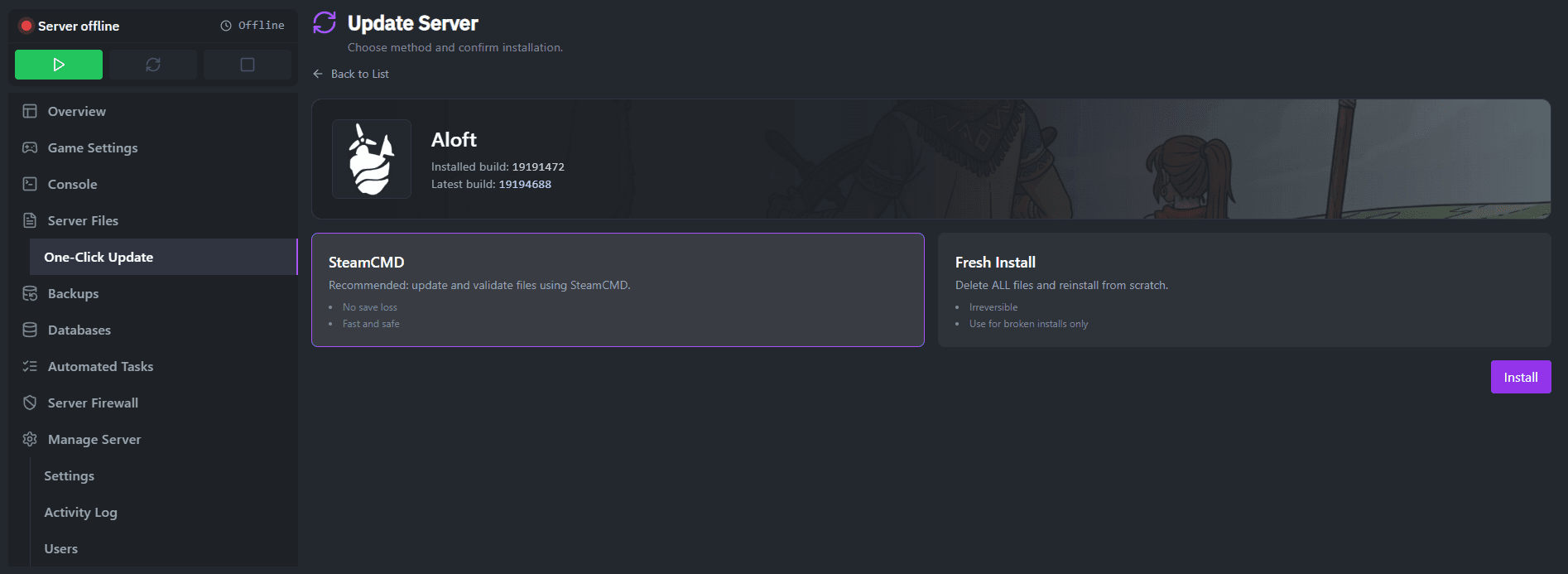
For SteamCMD games, we now show the installed build number. If an update for your server is available, a popup window is shown about the available server update
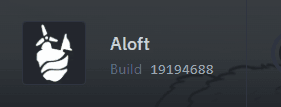
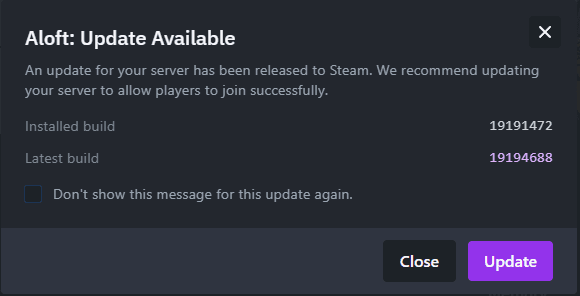
A “One-click update” option has been added to the menu for SteamCMD games, which updates your server to the latest version
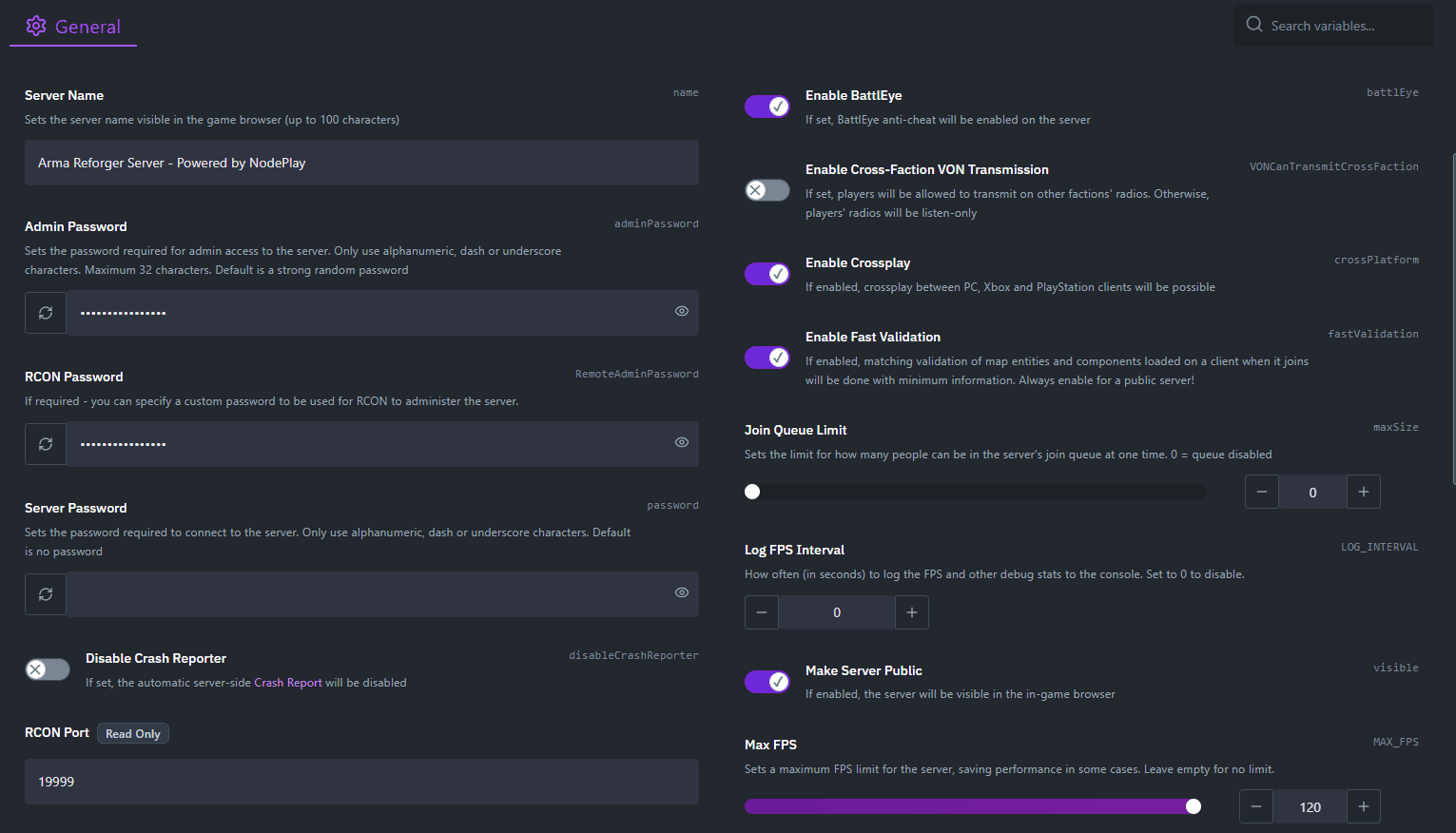
Now in the “Game Settings” section, the drop-down menu displays human-readable values
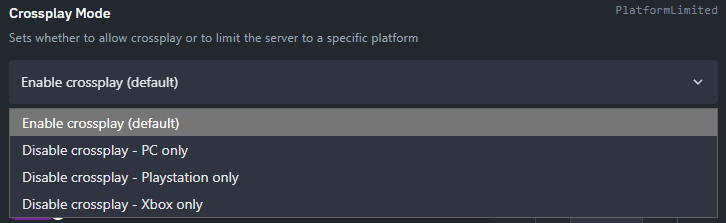
Some games now support custom maps/mods. Previously, some games had only preinstalled maps/mods in the drop-down list; now, if the game supports it, you can choose the --Custom-- value in the drop-down menu and specify your own map/mod in the variable
For all games, settings have been fully translated into the available languages in the game panel (including drop-down lists)
The online players and server analytics system has been completely changed. Now absolutely all our games support the online players list and analytics
In the online players list, if a player has a SteamID, their avatar is shown and a link to their Steam profile is available
We added a convenient PWA app for the game panel. No more need to launch a browser to manage your server
Fixed the mobile UI when creating an instance
Now when editing a file on the server, the Monaco editor is used, which highlights code, has a convenient up-and-down slider, and is simply reliable
Login to the game panel via Billing has been implemented. If you are logged in to Billing, signing in to the panel will happen with a single button click
The UI in the “Game Settings” section has been completely updated; everything now looks more professional, and there are no more “steps” in the game settings that were there before
Most games now have “Additional server launch parameters” in the settings. This setting adds your variables and values to the server launch. If the game supports the format
-name “Test”, or+max_players 552, then you simply add the required variable in the correct format, click the “+” icon, and that’s it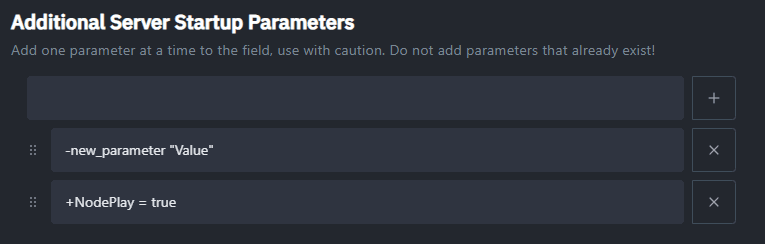
Also, almost all of our games now have a lot of all possible settings. This was done for user convenience so that the user doesn’t have to look for the game configuration file and figure it out
NodePlay Billing
In addition to Discord, we also added login to Billing via Twith and Google
Profile settings now include the ability to enable two-factor authentication

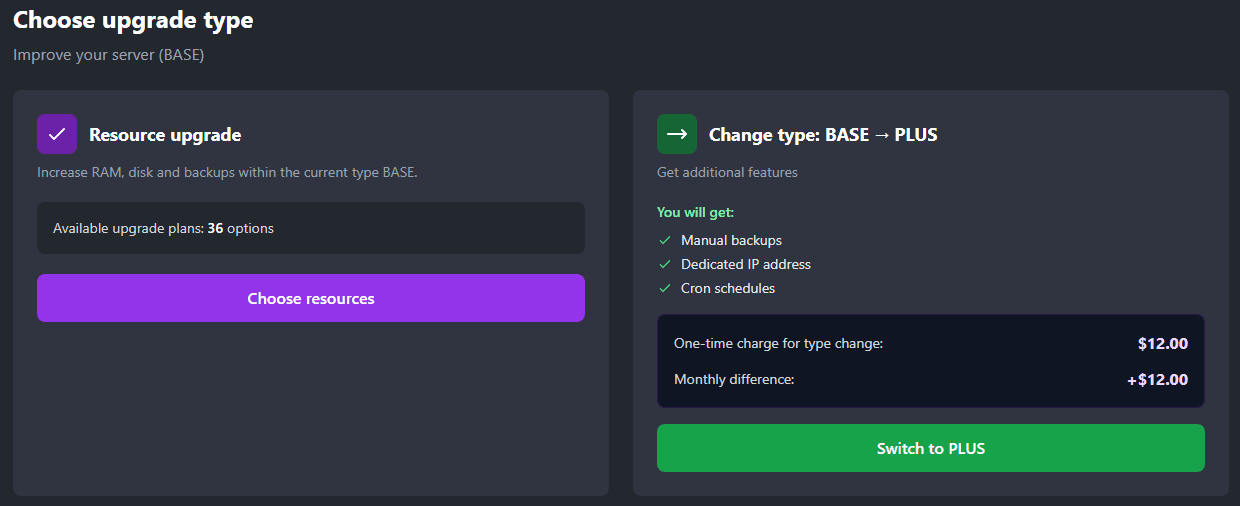
Now, in addition to upgrading the server plan, you can also change the tariff plan type from Basic to Plus. The extra charge is only for the difference between the plans
Now, in addition to issuing an invoice and sending an email, a reminder is sent one day before the server is suspended, and another reminder is also sent one day before deletion
Fixed a bug where the user could not download the paid invoice
Fixed a bug where the user updated the tariff plan, but the old tariff plan name was shown in Billing
-
New pricing plans, notifications about server renewal, changes to game switching
After introducing the instance system, we gained the ability to add new plan types. There are 2 plan types: Basic and Plus. In the Plus plan, everything remains unchanged; the Basic plan costs $1 less per 1GB of RAM, but several features are disabled, read more in the blog.
NodePlay App
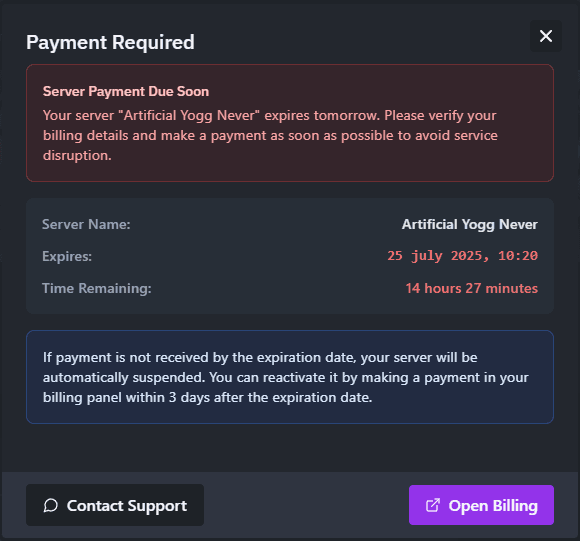
Now, when the server payment date approaches, in addition to sending an invoice, a notification is shown in the game panel so you are always informed
Game switching now happens if there is a saved server instance; this is more reliable and convenient. When switching games, all current data (including server settings) is preserved, read more in the support center
Fixed an issue where a server could be assigned an IP address that was already in use
Fixed minor UI issues
NodePlay Billing
The server page now shows the Basic/Plus server type
-
Improved game switching, new features
These changes are perhaps some of the most important ones we have made. The changes concern the game panel, but they are as important as the internet is in our time.
NodePlay App
Game switching now works a little differently than before. Now, to switch the game, you need to archive the server and then create a new server with the desired game. You can archive either just the base version of the game or the entire server with all variables, files, etc.
The ability to change the server location has been added
-
A few fixes, a new game
Today we released a small update: a few fixes and a new game.
NodePlay App
Fixed several issues in the menu layout
Added support for the game Aloft
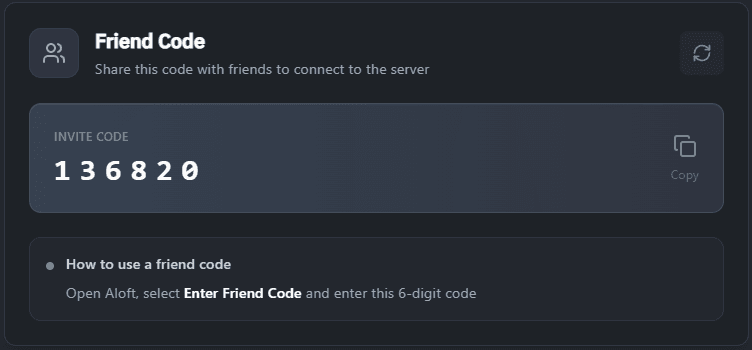
On the Aloft game server homepage, the “Friend Code” is displayed, so there is no longer any need to look for it through the console
For games that do not support showing online players and "Server Analytics", the corresponding blocks are now hidden, which eliminates confusion for users
Billing
Fixed an issue where the server was not created after payment if spaces or special characters were used in invalid places when registering an account
-
New update: Detailed game settings, settings search
We continue to update our products and are ready to show you our cool update that will make server ownership easier. Easily configure your game world in a few clicks without needing to learn complicated config files.
NodePlay App
Now for most of our games, settings can be changed directly in the game panel. All settings are divided into categories, since there are now many settings - search by settings has been implemented for quick navigation to the needed setting. Settings also include the in-game variable value; if you know the variable name, just enter it in the search and we will show it.
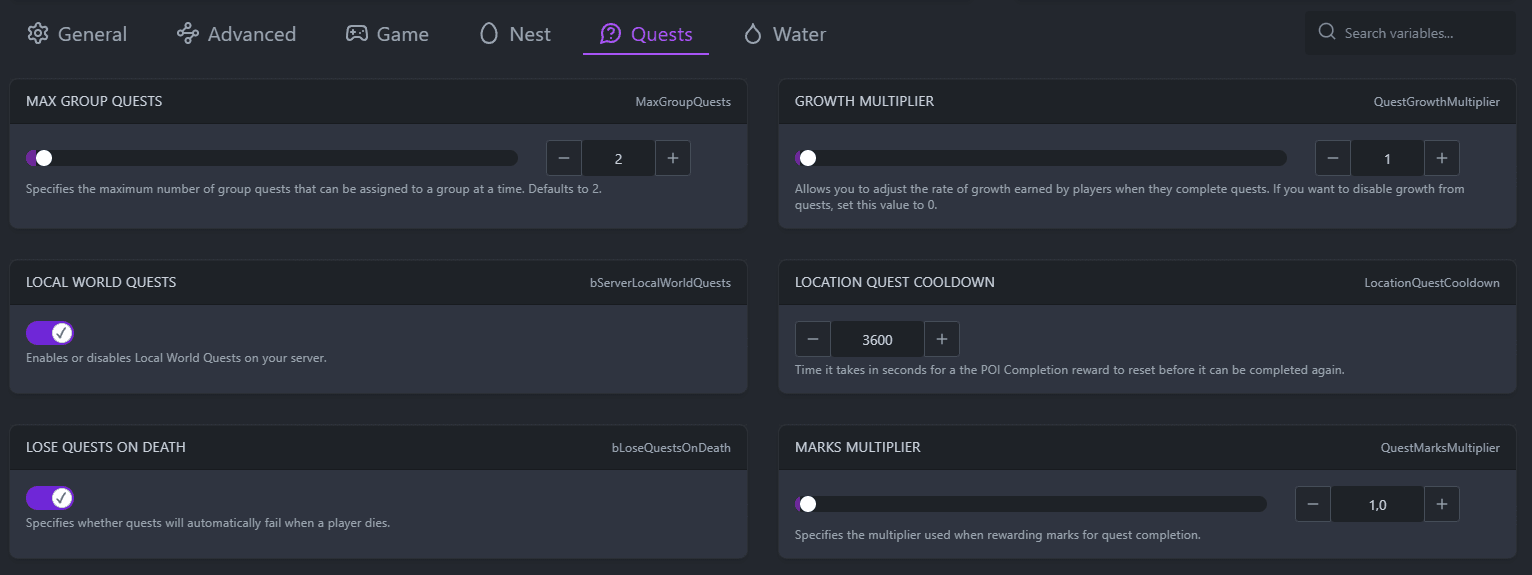
For better understanding, translations for settings and descriptions have been implemented, but the translation may not always be of high quality. We constantly update the translation, but if we missed something, you can report it on our Discord server or on the feedback portal.
In some games (such as Minecraft and FiveM), there is a quick way to change the icon and server display in the general server list.
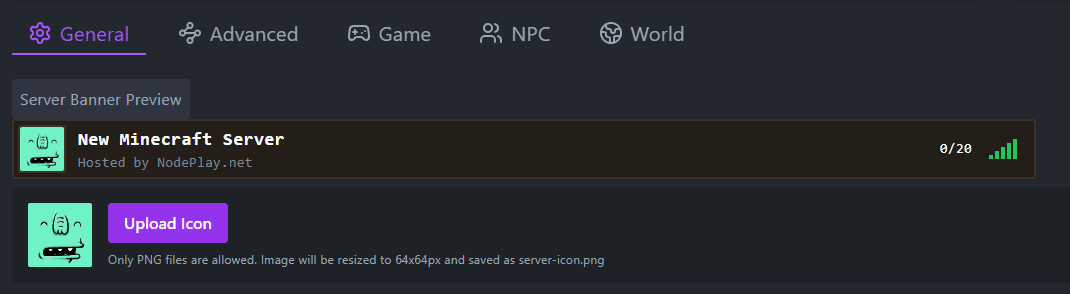
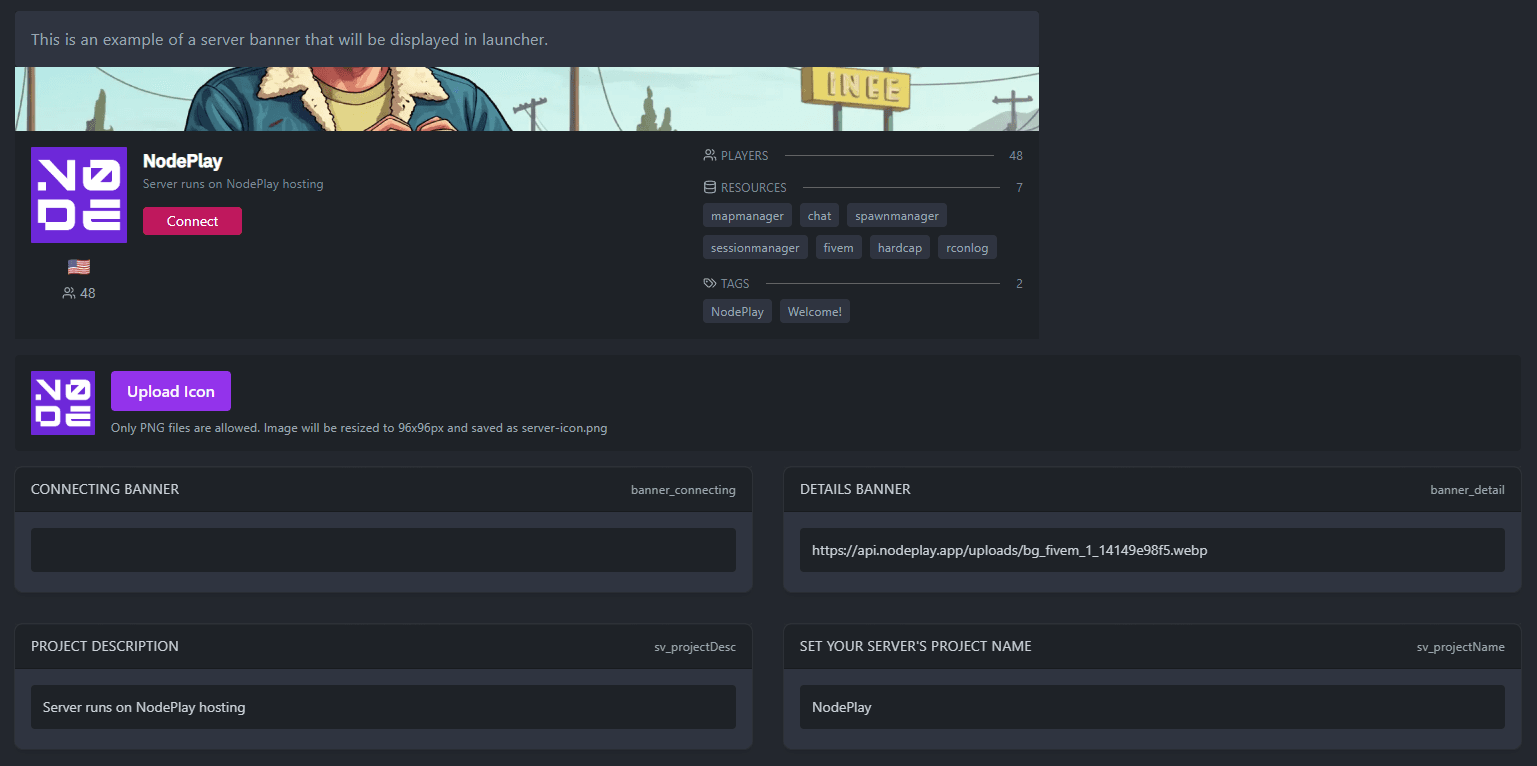
Added 3 new games: Abiotic Factor, Night Of The Dead, No More Room in Hell
Made the server console more readable
Fixed a couple of places where there were layout issues
Now every administrator can share their server (a link to it) with their community, and the community will be able to see the game, server name, and online count
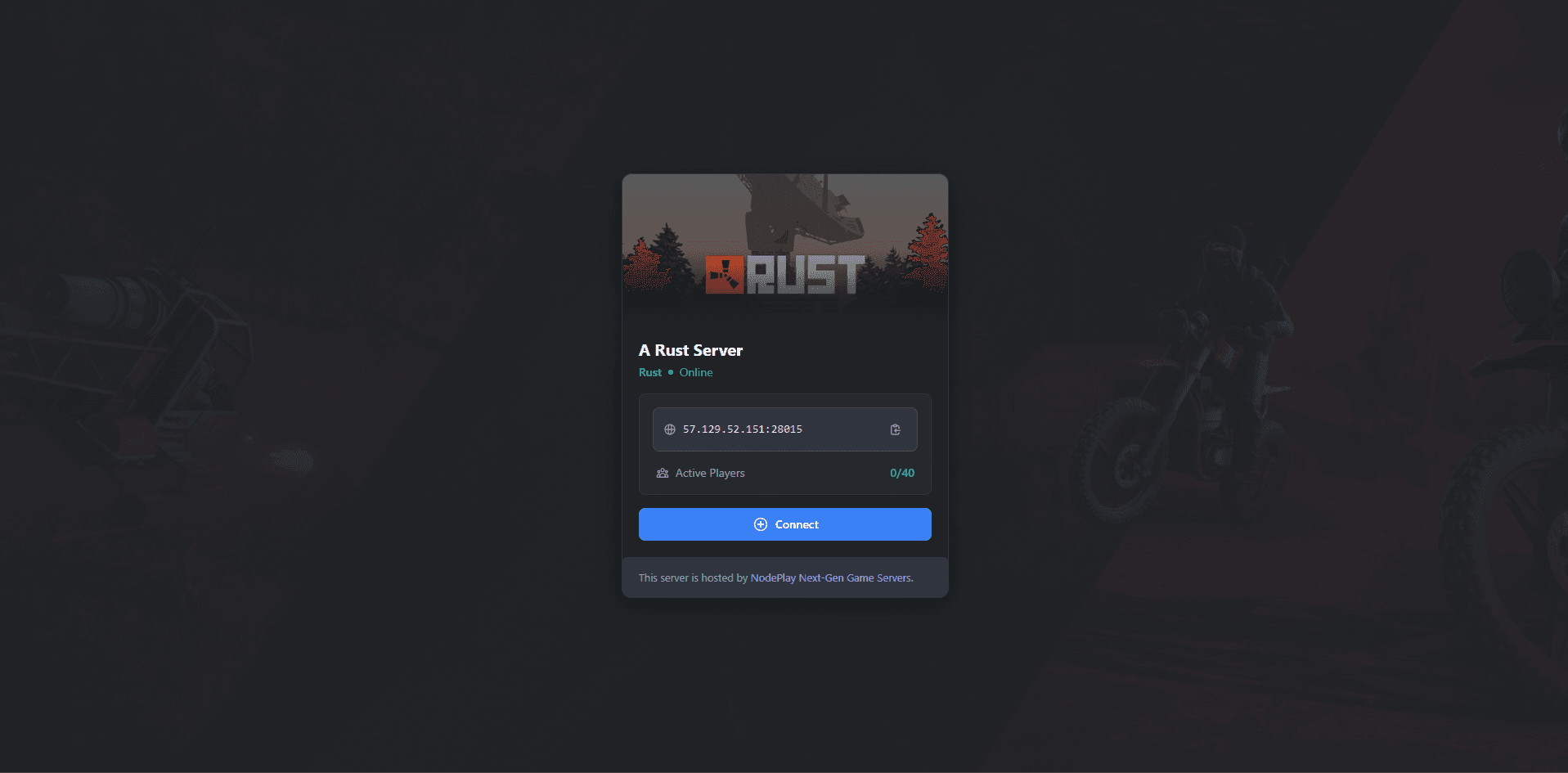
Users now also have the ability to create their own domain for the server; currently 2 domains are available: .nodeplay.cloud and .playnode.cc
NodePlay
An affiliate program has been implemented to support streamers (more in the blog)
We continue to work on NodePlay. If you have any suggestions or requests, don't hesitate—we'll be glad to hear them.
-
Several new features, bug fixes
We continue to improve the quality of our services, fix found bugs, and add new functionality.
NodePlay App
Fixed a bug during game switching, where the user could receive a port conflict notification
When switching games, the user could also sometimes see “Games not found” instead of the game list
Sometimes when a server was installed, it was assigned unnecessary ports left over from the previous owner
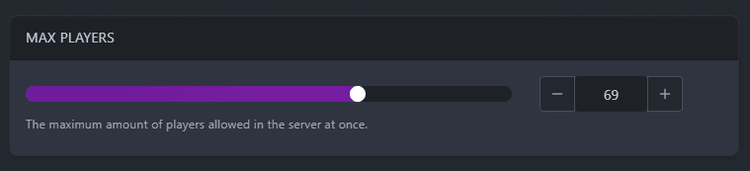
Now on the game settings page, all numbers have a slider for convenience
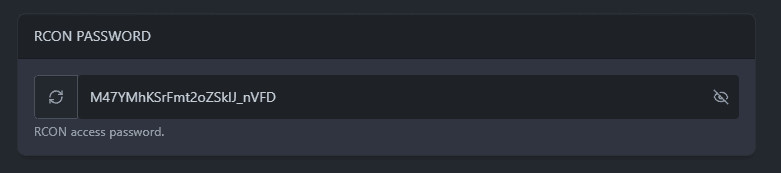
Also, for security, all passwords in the game panel are now hidden from prying eyes, and a button to generate a password has been added
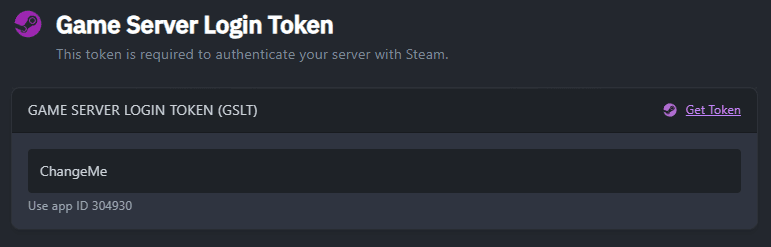
Now all Steam games that require a GSLT token have a separate page for convenient token entry and quick token retrieval
Billing
Now when a user registers in billing, an account is also created in the game panel
Slightly improved the invoice display in the email
Now when changing a plan, the user can not only upgrade/downgrade the plan, but also change the billing period
Added SBP payment system for users from Russia
Fixed user account confirmation (sometimes verification simply did not work)
NodePlay
Added a promo code system, so now if there is an active promo code, it is automatically applied when placing an order
Changed the “Contacts” page by adding a feedback form
-
New games, bug fixes
Today a lot of work was done. New games were added, and a small number of bugs were fixed.
NodePlay
Added a section with blogs, a Changelog section
Added the ability to log in to the site via billing
Now on the pricing page not 3 plans are displayed, but all available plans; on the game page, plans are loaded with a button
NodePlay App
Fixed a bug where, when launching a Minecraft server, the EULA window was shown only on the server console page
Fixed an automatic backups bug, sometimes the backup was created at the wrong time
Fixed a bug where the Rust plugin list would not load if Oxide was not installed on the server
Added search in the knowledge base by a specific game that is installed on the server
Fixed a visual bug where the server RAM usage was displayed incorrectly
Fixed a bug with the “Share server” function
New games for swapping were added, including Icarus, Soulmask, nanos world, Avorion